How to Base64 Encode in JavaScript, Python, and curl
Base64 encode and decode in browser JS, Node.js, Python, and the shell. Why btoa only takes code points 0-255, plus the UTF-8 fix and URL-safe variant for each.
You need to Base64 encode something. Maybe it's a string for a webhook header, a file for an email attachment, or a JWT payload you're testing. Each language has its own idiomatic way to do it, and — this is the annoying part — each one hides a UTF-8 gotcha that bites you the very first time you feed it a non-ASCII character.
Consider this a quick reference for the four environments most developers actually use: browser JavaScript, Node.js, Python, and shell/curl.
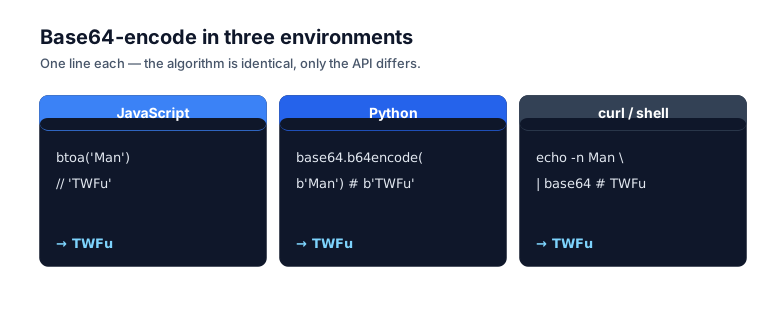
JavaScript (browser)
In the browser, use btoa() to encode and atob() to decode — short for "binary to ASCII" and "ASCII to binary." For anything beyond plain ASCII you'll wrap them with TextEncoder, but for a quick string they're a one-liner.
Encoding an ASCII string is as simple as it gets:
btoa('hello world');
// → "aGVsbG8gd29ybGQ="
And decoding runs the other direction:
atob('aGVsbG8gd29ybGQ=');
// → "hello world"
That's the whole story for ASCII. Here's the gotcha, though — try a non-ASCII character and it blows up:
btoa('안녕');
// → Uncaught DOMException: Failed to execute 'btoa': The string to be encoded
//    contains characters outside of the Latin1 range.
btoa() only handles characters in the Latin-1 range, code points 0 through 255. MDN puts it plainly: each character "must have a code point less than 256, representing one byte of data." Anything beyond that — Korean, Japanese, emoji, even some accented characters — throws an InvalidCharacterError.
The fix is to encode to UTF-8 bytes with TextEncoder before you hand anything to btoa:
function encodeBase64(str) {
  const bytes = new TextEncoder().encode(str);
  let binary = '';
  bytes.forEach((b) => (binary += String.fromCharCode(b)));
  return btoa(binary);
}

function decodeBase64(b64) {
  const binary = atob(b64);
  const bytes = new Uint8Array(binary.length);
  for (let i = 0; i < binary.length; i++) bytes[i] = binary.charCodeAt(i);
  return new TextDecoder().decode(bytes);
}

encodeBase64('안녕 🌍');  // → "7JWI64WVIPCfjI0="
decodeBase64('7JWI64WVIPCfjI0=');  // → "안녕 🌍"
The Base64 Encoder implements exactly this pattern — UTF-8 safe by default, all in your browser.
There's no built-in URL-safe variant in the browser, so convert after standard encoding:
function encodeBase64Url(str) {
  return encodeBase64(str)
    .replace(/\+/g, '-')
    .replace(/\//g, '_')
    .replace(/=+$/, '');
}
Node.js
In Node, encode with Buffer.from(str).toString('base64') and decode with Buffer.from(b64, 'base64').toString(). Node does all its binary work through Buffer, Base64 included, and it's far friendlier than browser JS about it — UTF-8 just works, no TextEncoder dance required.
Encoding handles UTF-8 with zero ceremony:
Buffer.from('hello world').toString('base64');
// → "aGVsbG8gd29ybGQ="

Buffer.from('안녕 🌍').toString('base64');  // UTF-8 just works
// → "7JWI64WVIPCfjI0="
Decoding is the mirror image:
Buffer.from('aGVsbG8gd29ybGQ=', 'base64').toString();
// → "hello world"

Buffer.from('7JWI64WVIPCfjI0=', 'base64').toString();
// → "안녕 🌍"
Node added a dedicated 'base64url' encoding in v15.7.0 and v14.18.0, which is the clean way to do URL-safe Base64:
Buffer.from('hello').toString('base64url');
// → "aGVsbG8" (no padding)

Buffer.from('aGVsbG8', 'base64url').toString();
// → "hello"
On older Node versions you do the conversion by hand:
function toBase64Url(str) {
  return Buffer.from(str)
    .toString('base64')
    .replace(/\+/g, '-')
    .replace(/\//g, '_')
    .replace(/=+$/, '');
}
Encoding a binary file — an image, a PDF — follows the same Buffer pattern:
import fs from 'node:fs';

const data = fs.readFileSync('image.png');
const b64 = data.toString('base64');
console.log(`data:image/png;base64,${b64}`);
Then drop that data: URI straight into an <img src> or a CSS background-image.
Python
In Python, encode with base64.b64encode(data) and decode with base64.b64decode(data) — both live in the base64 module of the standard library, so there's nothing to install. The one rule to remember: input must be a bytes-like object, not a str.
The encoding pattern is consistent: input must be bytes (hence the b'...' prefix or a .encode() call), output is bytes, and .decode() turns it back into a normal string:
import base64

# String → Base64
base64.b64encode(b'hello world').decode()
# → 'aGVsbG8gd29ybGQ='

# UTF-8 works naturally with .encode():
base64.b64encode('안녕 🌍'.encode()).decode()
# → '7JWI64WVIPCfjI0='
Decoding mirrors it:
import base64

base64.b64decode('aGVsbG8gd29ybGQ=').decode()
# → 'hello world'

base64.b64decode('7JWI64WVIPCfjI0=').decode()
# → '안녕 🌍'
URL-safe Base64 is built in, though note it still produces padding unless you strip it yourself:
import base64

# URL-safe encode (still produces padding)
base64.urlsafe_b64encode(b'hello').decode()
# → 'aGVsbG8='

# Strip padding for true URL-safe (manual)
base64.urlsafe_b64encode(b'hello').rstrip(b'=').decode()
# → 'aGVsbG8'

# Decode URL-safe (re-add padding if missing)
def b64url_decode(s: str) -> bytes:
    pad = '=' * ((4 - len(s) % 4) % 4)
    return base64.urlsafe_b64decode(s + pad)

b64url_decode('aGVsbG8').decode()
# → 'hello'
And encoding a file:
import base64

with open('image.png', 'rb') as f:
    b64 = base64.b64encode(f.read()).decode()

print(f'data:image/png;base64,{b64}')
Shell / curl
In the shell, pipe text or a file into the base64 command to encode, and add -d (or -D on macOS) to decode. It ships preinstalled on macOS, Linux, and Git Bash for Windows, so you usually don't need to install a thing — just watch the trailing newline and the line wrapping.
Encoding a string or a file:
# Encode a string (use -n to suppress trailing newline)
echo -n 'hello world' | base64
# → aGVsbG8gd29ybGQ=

# Encode a file
base64 < image.png
# (or: base64 image.png — depending on OS)
Decoding, with one cross-platform wrinkle on the flag:
echo 'aGVsbG8gd29ybGQ=' | base64 -d
# → hello world

# On macOS use -D (capital), on Linux -d (lowercase) — both -d works on macOS too
echo 'aGVsbG8gd29ybGQ=' | base64 -D    # macOS
echo 'aGVsbG8gd29ybGQ=' | base64 -d    # Linux
Now the trap that catches everyone: echo tacks on a newline by default, and that newline becomes a byte in your input. To encode without it, reach for -n:
echo 'hello' | base64       # encodes "hello\n" → aGVsbG8K
echo -n 'hello' | base64    # encodes "hello"   → aGVsbG8=
You almost always want -n. Forget it and you get Base64 with a stray K= or similar suffix that doesn't decode to what you meant.
There's no built-in URL-safe option in the shell, so pipe through tr:
echo -n 'hello' | base64 | tr '+/' '-_' | tr -d '='
# → aGVsbG8
For auth, curl actually handles basic auth for you — no manual encoding required:
curl -u user:pass https://api.example.com
But when you need to set the header explicitly, say for a webhook, build it yourself:
AUTH=$(echo -n 'user:pass' | base64)
curl -H "Authorization: Basic $AUTH" https://api.example.com
And a common real-world pattern — Base64-encoding a small binary payload before sending it in a JSON body:
PAYLOAD=$(base64 < small-image.png | tr -d '\n')
curl -X POST https://api.example.com/upload \
  -H 'Content-Type: application/json' \
  -d "{\"image\":\"$PAYLOAD\"}"
The tr -d '\n' strips the line wrapping that some base64 implementations add every 76 characters, a leftover convention from the MIME era. (The character set itself — A-Z, a-z, 0-9, +, /, with = padding — is pinned down by RFC 4648, the Base64 spec.)
Quick reference table
| Task | Browser JS | Node.js | Python | Shell |
|---|---|---|---|---|
| Encode string | btoa(s) (ASCII only) | Buffer.from(s).toString('base64') | base64.b64encode(s.encode()) | echo -n "$s" | base64 |
| Decode string | atob(s) | Buffer.from(s, 'base64').toString() | base64.b64decode(s).decode() | echo "$s" | base64 -d |
| Encode UTF-8 | See helper above | works natively | works natively | works natively |
| Base64URL | Manual swap | 'base64url' encoding | urlsafe_b64encode | tr '+/' '-_' |
| Encode file | (use FileReader) | fs.readFileSync(p).toString('base64') | b64encode(open(p,'rb').read()) | base64 < file |
Common bugs across all languages
A few mistakes recur no matter which environment you're in.
Forgetting to handle padding. Strict decoders reject input that isn't a multiple of 4. Add padding with = characters before strict decoding.
Mixing standard and URL-safe. Browser atob won't accept Base64URL. Convert first by swapping characters and re-adding padding. If you're not sure which variant you're holding, the Base64 vs Base64URL guide walks through telling them apart.
UTF-8 in browser JS. btoa('café') throws. Encode to UTF-8 bytes first.
Trailing newline from echo. Use echo -n or printf so your encoded result doesn't start with extra bytes.
Line wrapping in long output. Some base64 CLIs wrap at 76 characters. Strip it with tr -d '\n'.
Forgetting it isn't compression. Base64 makes data about 33 percent larger, not smaller — every 3 bytes become 4 characters. If you're surprised your payload grew, that's why. For the underlying mechanics, see what Base64 encoding actually is.
The bottom line
In the browser, btoa/atob cover ASCII, but UTF-8 needs TextEncoder first. In Node, Buffer.from(...).toString('base64') handles everything cleanly. In Python, base64.b64encode/b64decode do the job, just remember the input must be bytes. In the shell, the base64 command works fine as long as you remember echo -n and tr -d '\n'. And for URL-safe output, Node 16+ has it built in while the others need a manual character swap.
When you just need to do it once without writing any code, the Base64 Encoder handles it in your browser — UTF-8 safe, both variants, no install. For JWT-specific Base64URL decoding, use the JWT Decoder.
Frequently asked questions
Why does btoa() throw on non-Latin text like emoji or Korean?
Per MDN, btoa() treats each character as one byte, so every code point must be below 256. A character like 안 or 🌍 sits above that range and triggers an InvalidCharacterError DOMException. Encode the string to UTF-8 bytes with TextEncoder before calling btoa() to avoid it.
How do I Base64 encode UTF-8 in the browser?
Run new TextEncoder().encode(str) to get UTF-8 bytes, build a binary string from those byte values, then pass that to btoa(). To decode, reverse it with atob() and TextDecoder. This is the standard MDN-recommended pattern and the only reliable way to handle non-ASCII text in browser JS.
Why does my shell Base64 output have an extra character at the end?
echo adds a trailing newline by default, and that newline becomes a byte in your input, changing the output. Use echo -n 'text' or printf to suppress it. Forgetting this is the single most common shell Base64 bug, producing a stray suffix that decodes to text plus a newline.
How much bigger does Base64 make my data?
About 33 percent. Base64 maps every 3 bytes of input to 4 output characters, a fixed 4-to-3 ratio defined in RFC 4648. Padding can add one or two more characters. The URL-safe variant has identical overhead, since only two alphabet characters change, not the math.
What is the difference between Base64 and Base64URL?
They share the same algorithm but swap two characters. Standard Base64 uses + and /, which break inside URLs and filenames; Base64URL uses - and _ instead and usually drops the = padding. Browser atob() will not accept Base64URL directly, so convert the characters back first.